Receipt preview
See exactly what the POS sent.
Capture RAW ESC/POS traffic, render receipts instantly, and diagnose printer commands on Windows 10 and 11.
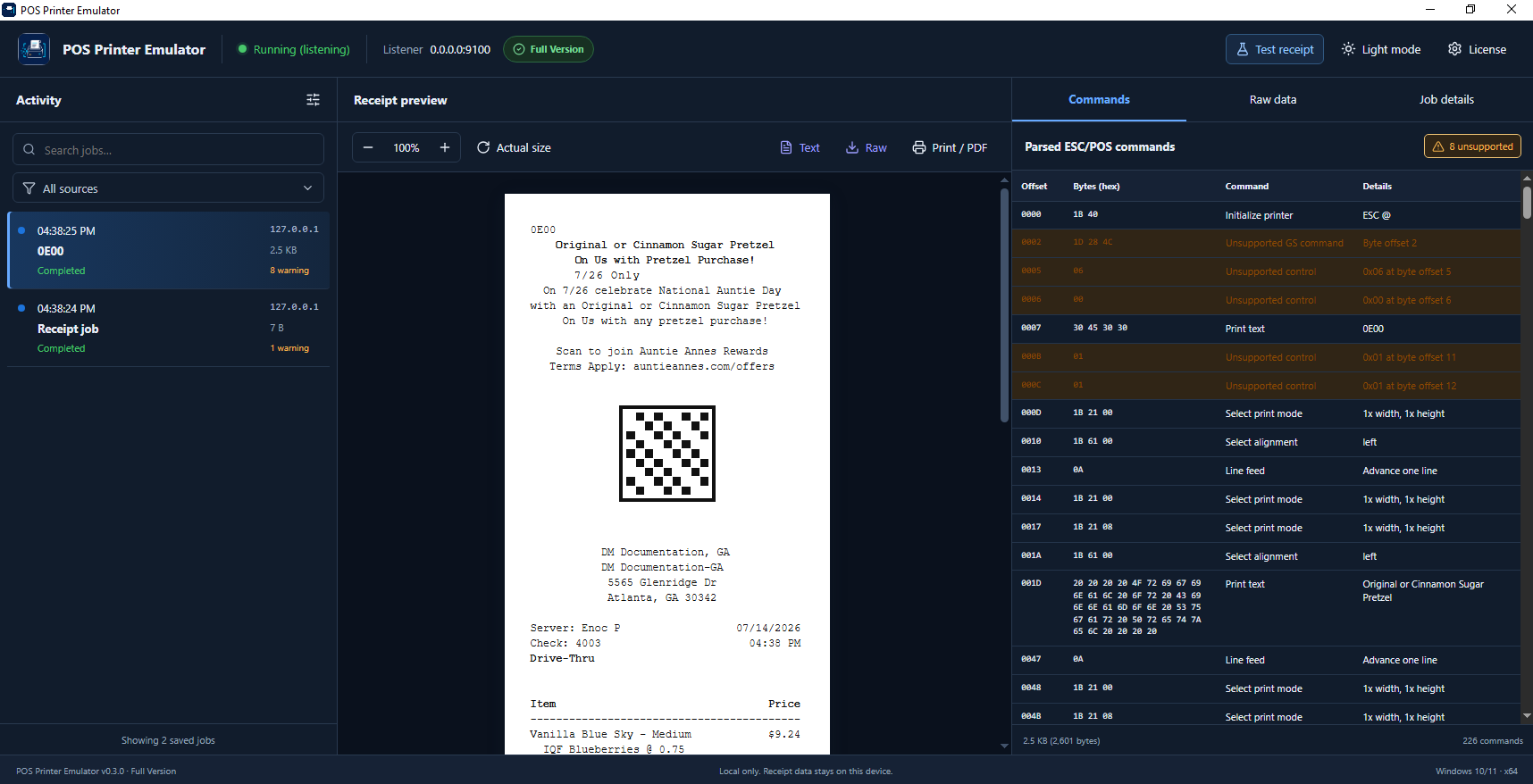
Point your POS software at the emulator, send a print job, and inspect exactly what the printer received.
Use RAW TCP/IP with the computer’s address and port 9100.
See receipt output appear immediately in a focused thermal-paper preview.
Inspect parsed ESC/POS commands, raw bytes, warnings, and job details.
See exactly what the POS sent.
Decode ESC/POS and raw data.
Comfortable at any hour.
Export receipts in the Full Version.
Receipt data stays on this device.
Every installation starts with a free trial. Enter your activation key inside the app to upgrade instantly—no reinstall required.
Install the app, background service, local HTML interface, and required runtime in one straightforward setup.
Download for Windows
The essentials for installing, testing, and activating POS Printer Emulator.
No. The emulator listens for RAW network-printer traffic and renders the receipt locally on your Windows computer.
Yes. Receipt capture, viewing, history, and activation-key validation all work locally without an internet connection.
Enter your customer or company name, email address, and activation key in the app. A valid key unlocks the Full Version immediately.
Receipt data stays on the local Windows device. Trial jobs are session-only; the Full Version keeps local job history.
Yes. The included uninstaller removes the application, Windows service, firewall rule, shortcuts, and application data.